










Waste Costs do not always appear on financial reports as a specific line item. Many hidden losses are found in very familiar daily activities: employees entering the same information into two software systems, transferring data from Excel to another system, checking figures between departments or spending time resolving discrepancies because each system is using a different source of data.

A business may still be operating normally and may not even realize there is a problem. But as the number of customers, orders and employees increases, these small activities begin to repeat at a much higher frequency. Waste Costs from Fragmented Software therefore do not come from how many software systems the business is paying for, but from the additional time and resources required to make those systems work together.
Below is a checklist to help businesses identify these often-overlooked costs before deciding whether they need to change the way their systems are managed.
Check Whether the Same Data Is Being Entered Multiple Times
One of the most visible signs of Waste Costs is having to enter the same information in multiple places. Sales updates customer information in one system, Accounting then enters order data into accounting software, while the Warehouse updates the information in a separate file to track Inventory.
Initially, this may only take a few minutes per transaction. But as the number of transactions increases, data entry becomes a fixed part of the daily work of multiple employees. More importantly, every time data is entered again, there is another opportunity for information to be incorrect, incomplete or inconsistent across systems.
Checklist:
☐ Is the same information being entered into multiple systems?
☐ Do employees have to copy data from Excel into software?
☐ Are there cases where information about the same customer differs between departments?
☐ Is someone spending time simply re-entering data that another department already has?
If there are two or more “Yes” answers, the business already has the first sign of Waste Costs.
Check How Much Time Is Being Lost Transferring Data
Not every cost comes from paying for software. Waste Costs also exist in the time employees spend taking data from one system and transferring it to another to continue their work.
An order may start with Sales, then the information is sent to Accounting, transferred to the Warehouse and finally passed to the Delivery team. If each department uses a separate tool without proper integration, data has to go through multiple handoffs. Each handoff requires someone to check, confirm and sometimes modify the information again.
This is an area that businesses often underestimate. One employee spending 15 minutes a day processing data may seem insignificant. But if that task is performed by 10 people over 22 working days, the business has already lost approximately 55 hours per month on just one type of activity.
Checklist:
☐ Is data frequently downloaded from one software system and then entered into another?
☐ Do employees have to send files to one another to continue processing?
☐ Are there tasks that only exist because the current systems cannot connect with one another?
☐ Does someone have to manually consolidate data at the end of the day or month?
SAP also notes that when core data is created and updated across multiple systems, businesses can face duplicate records, inconsistent data and outdated information.
Check Whether the Business Is Paying for “Work That Connects Software”
A separate system for Sales, a system for Accounting, an Inventory management tool and several Excel files can all be reasonable if each tool effectively handles a specific business function. The problem begins when the business has to use people to connect those systems together.
This is a form of Waste Costs that is difficult to see. The business does not pay an additional fee for a function called “data transfer,” but it does pay employees to perform that work every day. As the number of systems increases, the number of connection points also increases, making checking and reconciliation more complicated.
Oracle describes one benefit of an ERP system with centralized data as allowing departments to work from the same data model instead of waiting for data to be manually transferred between multiple applications, thereby reducing the risk of errors and lost information.
Checklist:
☐ Is there someone responsible for consolidating data from multiple software systems?
☐ Is there an intermediate Excel file used to “connect” two systems?
☐ Are there processes that have to wait for someone to finish consolidating information before they can continue?
☐ When data changes in one software system, are other systems updated automatically?
If the answer is often “we need to check again,” the business should start calculating Waste Costs based on this operational time.
Check Where the Errors Are Coming From
When data is entered multiple times, errors almost become an operational risk rather than an isolated individual mistake. Inventory figures that do not match Sales data, customer information that has not been updated or an order with different values across two files can all force the next department to check the information again.
What is important is that Waste Costs at this point are not only about the time spent correcting data. They can also lead to delayed order processing, inaccurate reports, decisions based on outdated data and multiple rounds of communication between departments.
Therefore, when reviewing the system, businesses should not only ask, “What functions does this software have?” A more useful question is “Where is the data created, where does it go and where does it have to be entered again?” This perspective helps identify the points of loss that exist between different software systems.
Checklist:
☐ Do departments frequently reconcile figures with one another?
☐ Are there reports that have to be manually checked before they can be used?
☐ Are different departments using different figures for the same issue?
☐ Is someone responsible for correcting data because it was entered incorrectly or not fully updated?
If so, the business is paying additional Waste Costs to fix problems created by the way the system itself is being operated.
Check Whether the Software Supports Operations or Creates More Work
After reviewing the four areas above, businesses can perform an even simpler check: count how many times people have to intervene simply to move data from one step to another.
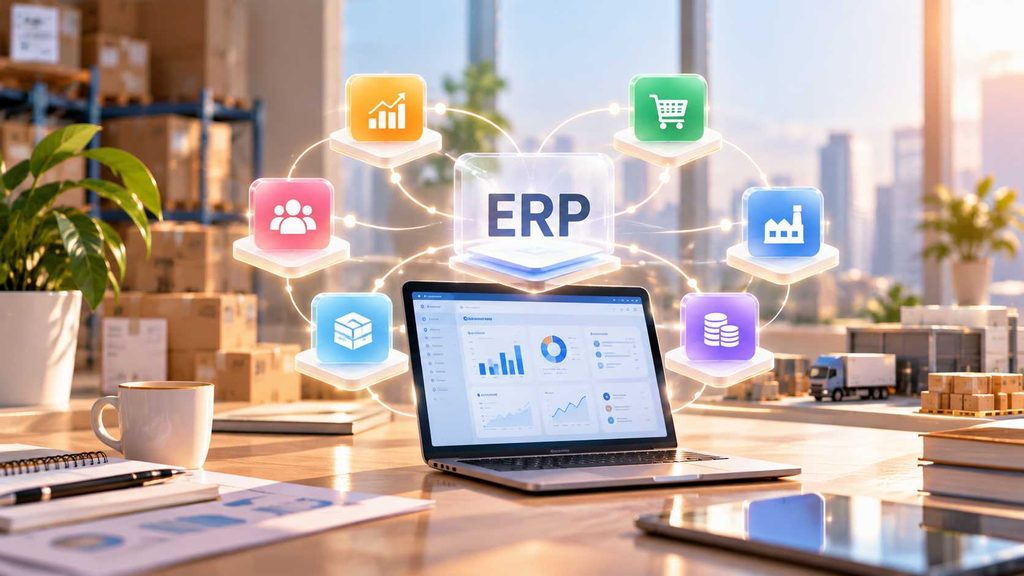
A good system does not necessarily have to replace all the software a business is currently using. What matters is identifying the core processes that need to be connected and the data that needs to be managed consistently. For some businesses, the solution may be to integrate their existing systems. For businesses with increasingly complex processes, a broader management platform such as ERP may be worth considering.
Oracle also emphasizes the role of integration in connecting end-to-end processes across departments, reducing manual steps and increasing visibility across the entire process.
Final Checklist:
☐ Is data entered once and then used throughout the entire process?
☐ Are departments working from the same source of information?
☐ Can a process be traced from beginning to end without combining multiple files?
☐ Are employees spending time on value-creating work or mainly transferring and checking data?
☐ Is the cost of maintaining multiple systems actually lower than the cost of operating them?
If most of the answers point in the opposite direction, it is time for the business to reconsider Waste Costs from Fragmented Software, rather than looking only at the licensing fees of each individual software system.

What is worth noting is that Waste Costs usually do not appear immediately when a business purchases a new software system. They accumulate gradually through hundreds of data entry activities, thousands of data-copying tasks and countless times when employees have to ask one another to confirm information. When the business is still small, this amount of time may not be large enough to notice. But as the business grows, these seemingly small activities become a significant part of operational costs.
Therefore, before purchasing another tool, businesses should check whether the current system is reducing work or creating more work. When data, processes and departments need to be connected on a larger scale, this is also when WBLGroup can work with businesses to review the current state and identify what needs to be optimized before choosing the right technology direction.