










What Is ERP Software is a question that often comes up when a business begins to face problems managing multiple departments and different sources of data. If Sales has one file, Accounting uses a separate system, and the Warehouse tracks Inventory somewhere else, managers have to constantly combine information to understand exactly how the business is operating. ERP is built to solve precisely this problem: connecting key business activities on one system and creating a unified source of data.
What Is ERP Software?
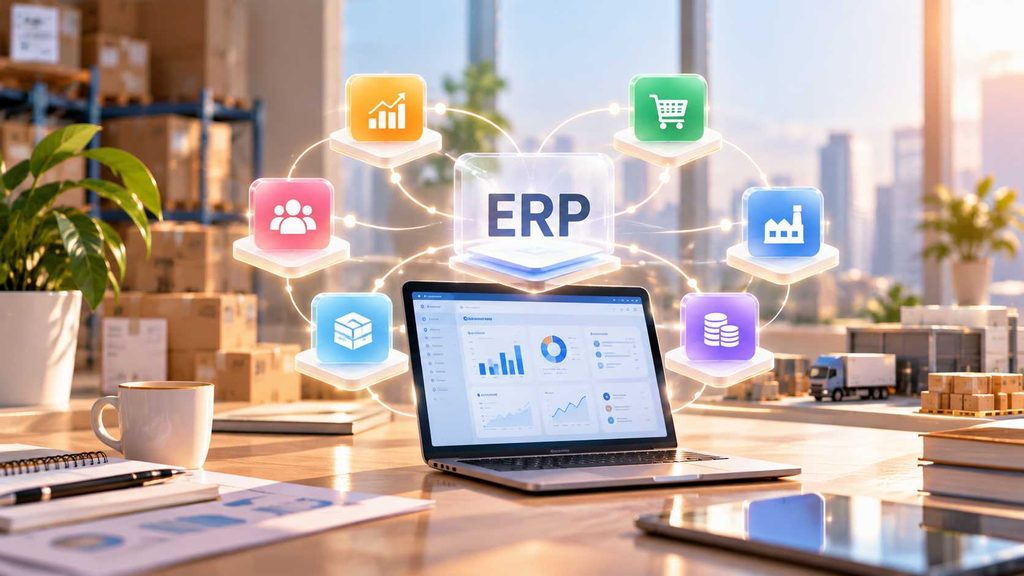
Simply put, ERP is a software system that helps businesses manage multiple core activities on one platform. Depending on the solution and industry, ERP can include Finance, Accounting, Purchasing, Sales, Inventory, Manufacturing, Human Resources and many other business functions. The most important value of ERP does not lie in how many modules it has, but in its ability to connect data and processes between departments. According to SAP, ERP helps businesses connect core business processes and create a unified source of data across the organization.
ERP can be imagined as the general manager of a business. The general manager does not directly do the work of Sales, Accounting or the Warehouse, but needs to know what each department is doing, what information needs to be passed on and how one activity affects another. ERP works in a similar way. When an order is created, that information can become an input for Accounting to process payment, for the Warehouse to check Inventory and for managers to track business performance.
Therefore, ERP is not simply software designed to replace Excel or bring multiple tools into one place. The core value of ERP lies in turning activities that are being handled separately into a connected process. This is also why ERP often becomes relevant when a business starts having more departments, more processes and enough data for fragmented management to become difficult to control.
How Does ERP Connect Sales, Accounting and the Warehouse?
Let’s start with a very familiar situation. Sales closes an order and sends the information to Accounting. Accounting checks the payment and then informs Sales. The Warehouse then receives the information to check Inventory and prepare the delivery. If each department uses a separate tool, even a small change in an order can require multiple people to update the information again.
With ERP, these data points can be connected within the same process. Sales creates the order in the system, Accounting can receive the information related to payment, while the Warehouse can see the necessary data to check the products and process the delivery. When information is updated, the relevant departments have a basis for continuing their work without depending too heavily on asking for information again or manually forwarding it.
This becomes particularly important when a business starts having more orders and more people involved in the same process. An order is no longer only Sales’ responsibility, because it is directly connected to revenue, payment, Inventory, delivery and ultimately business performance. ERP helps these relationships appear directly in the system instead of being scattered across Emails, Excel files or internal communication groups.
This is the key difference between managing individual departments and managing an end-to-end business process. When data is connected, each department still has its own space to handle its business activities, but no longer operates like a separate “island.”
What Can Business Owners See When They Have ERP?
Without ERP, managers often have to consolidate information from multiple sources before they can answer very basic questions: How much is the current revenue? Which orders have been paid? How much Inventory is left? Where are costs increasing? Which department is processing slowly? If data is stored across different systems, getting a complete picture usually takes time and can easily lead to inconsistencies.
ERP changes how managers access this information. Instead of simply receiving reports from individual departments, managers can view business operations based on data updated through related business activities. When Sales creates an order, Accounting records the transaction and the Warehouse updates product information, those data points can all contribute to a shared view of business operations.
This is a major value of ERP for business owners: not only knowing what each department is doing, but understanding how those activities are connected. As a result, management decisions can be based on more complete data instead of relying on manually consolidating information from multiple sources.
However, ERP does not mean that every business problem will automatically be solved. Even a good system still requires clear processes, standardized data and clearly defined responsibilities for each department. ERP provides the foundation for a business to operate consistently, while the final effectiveness depends on how the business designs and uses the system.
When Does a Business Start to Need ERP?
What Is ERP Software becomes easier to understand when looking at the problems that appear as a business grows. A small business with simple processes may not need ERP immediately. But as the number of orders increases, more departments become involved in the same process and data starts to be stored in multiple places, fragmented management will gradually create bottlenecks that individual software tools cannot easily solve.
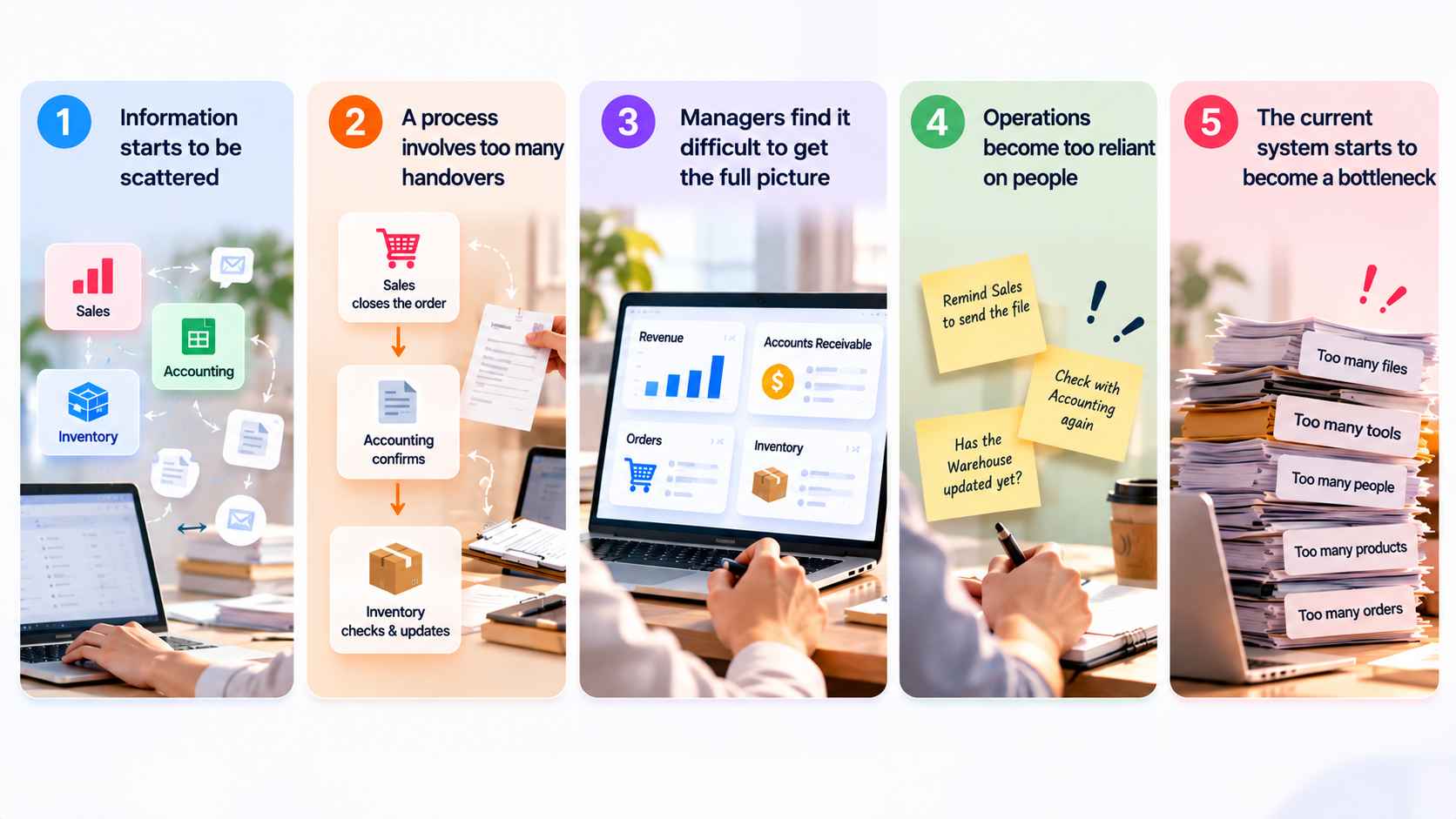
☐ Information starts becoming fragmented: Sales, Accounting and the Warehouse each hold part of the data, making it necessary to ask one another or cross-check multiple sources when reviewing an order.
☐ A process starts involving too many handoffs: Sales closes an order and sends the information to Accounting, Accounting confirms it, and the Warehouse then checks and updates the information. As transaction volume increases, these activities consume a significant amount of the team’s time.
☐ Managers struggle to get a complete picture: Revenue, receivables, orders and Inventory are tracked in different places, making it difficult to assess the overall business situation from one unified source of data.
☐ Operations start depending too heavily on people: Employees have to remember processes, transfer information themselves or remind other departments to update information. As the team grows, this approach can easily lead to inconsistency.
☐ The current system starts becoming a bottleneck: The business wants to expand, but every time it adds employees, products, orders or processes, it also has to add more files and tools to manage them.
When these signs begin to appear at the same time, the problem is no longer about adding another tool for each department. The business starts to need a system that can connect activities with one another, allowing information to move according to the process instead of depending on each person to update and communicate manually.
Where Should a Business Start with ERP?
ERP should not be implemented by putting every business activity into the system at the same time. A more appropriate approach is to start with a process involving multiple departments that is currently creating the most bottlenecks. For many businesses, this could be the process from Sales receiving an order, Accounting processing the payment, to the Warehouse preparing and delivering the order.
Once the core process has been identified, the business needs to clarify what data is created, which department uses that data and what information is needed for the next step. This provides the foundation for designing how departments will work on ERP. Instead of simply moving an Excel file into the system, the business needs to standardize both the data and the way it is processed so that the system accurately reflects the actual business process.
Once the first process is operating steadily, the business can gradually expand into related activities such as Purchasing, Inventory management, Finance or other business functions. A step-by-step implementation gives the team time to become familiar with the system while helping the business better control the scope and resources invested. Modern ERP systems can cover many different business functions, from Finance, Purchasing and Supply Chain to Project Management and operational activities.
For WBLGroup, ERP should be approached from the operational challenge before looking at the software name. When the business clearly identifies which processes need to be connected, what data needs to be managed and how mature the business is, choosing an ERP system becomes clearer and provides a stronger foundation for a long-term digital transformation roadmap.
ERP therefore does not start with the question “Which software should we buy?”, but with the question “Which processes need to be better connected and managed?”